
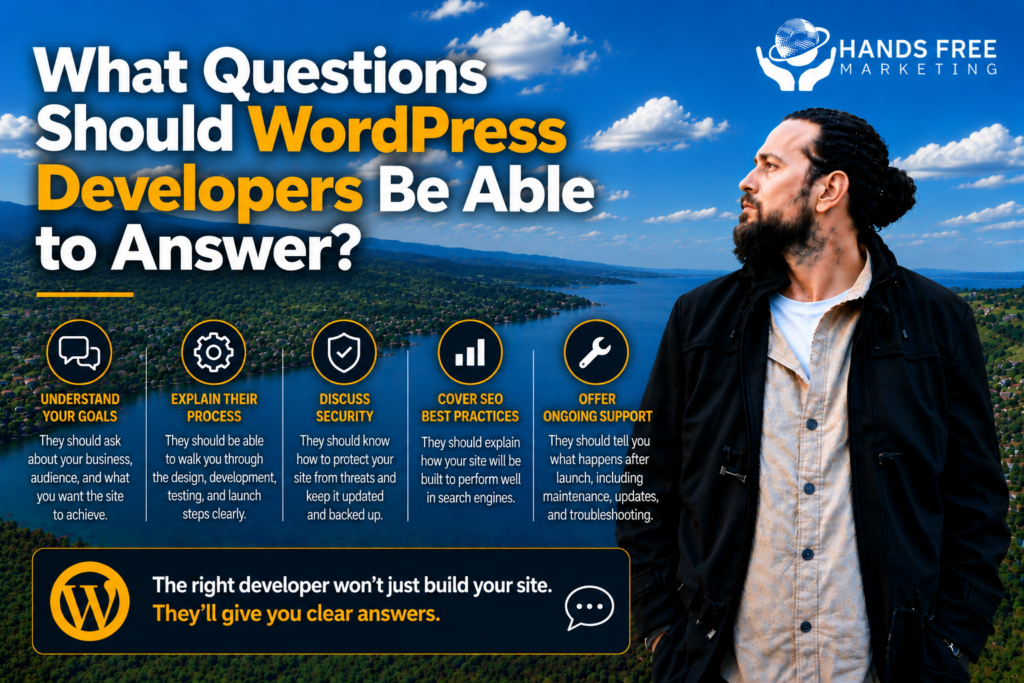
Hiring a WordPress developer is an important decision for any business. Your website is more than just a digital brochure. It needs to be secure, fast, easy to manage, mobile-friendly, and capable of supporting your business as it grows.
But how do you know whether a WordPress developer actually knows what they’re doing?
One of the easiest ways is to ask the right questions.
A good developer should be able to explain their approach clearly without hiding behind complicated technical language. Here are some questions worth asking before you hire one.
How Much WordPress Experience Do You Have?
Start with the basics.
Ask how long they’ve been working with WordPress and what types of websites they’ve built. A developer who has primarily worked on blogs may have a very different skill set from someone who regularly builds business websites, eCommerce stores, or custom WordPress solutions.
Ask to see examples of previous work and, where possible, look at live websites they’ve built.
A reliable WordPress developer should be comfortable explaining their experience and showing you what they can do.
How Will You Make My Website Fast?
Website speed matters for both visitors and overall website performance.
Ask the developer what they plan to do to keep your website fast. This could include optimising images, reducing unnecessary plugins, improving code, using appropriate hosting, and making sure the website is technically well built.
The technology behind your website matters too. WordPress recommends keeping PHP up to date because newer supported versions can provide security and performance benefits.
A good WordPress developer should be able to explain how they approach performance rather than simply promising that your website will be “fast.”
How Will You Keep My Website Secure?
Security should be part of the conversation from the beginning.
Ask how the developer handles WordPress updates, plugin updates, backups, user permissions, security monitoring, and recovery if something goes wrong.
WordPress recommends keeping WordPress itself, plugins, and themes updated, while also treating security as ongoing maintenance rather than a one-time task.
Your WordPress developer should also understand that third-party themes and plugins can introduce security risks and that code should be handled carefully.
What Plugins Will You Use?
Plugins can add useful functionality to a WordPress website, but installing too many can create unnecessary complexity.
Ask which plugins the developer plans to use and why.
You should also ask whether the plugins are actively maintained and what happens if a plugin becomes incompatible with a future WordPress update.
You don’t necessarily need the developer to avoid plugins altogether. You need someone who understands when a plugin is appropriate and when a custom solution may be better.
Will My Website Be Easy to Update?
You shouldn’t need to contact your developer every time you want to make a small change to your website.
Ask which parts of the website you’ll be able to manage yourself. This could include updating text, adding images, publishing blog posts, or making basic content changes.
A good WordPress developer should build with your long-term needs in mind rather than creating a website that only they can manage.
What About SEO?
Web development and SEO often overlap.
Ask your developer how they’ll handle important technical elements such as website structure, page speed, mobile usability, URLs, redirects, metadata, and search-friendly content structures.
While a developer isn’t necessarily an SEO specialist, they should understand that technical decisions can affect your ability to appear in search results.
This is especially important when rebuilding an existing website where valuable pages may already be receiving organic traffic.
What Happens After the Website Goes Live?
Don’t only ask about the build.
Ask what happens after launch.
Will the developer provide ongoing maintenance? Who handles updates? What happens if the website breaks? Are backups included? How quickly can issues be resolved?
WordPress’s own documentation highlights the importance of ongoing maintenance, security monitoring, updates, and having a recovery plan.
Knowing what happens after launch can help you avoid unexpected problems later.
Can You Explain Your Recommendations Clearly?
This might be one of the most important questions you can ask.
A good WordPress developer should be able to explain why they recommend a particular theme, plugin, hosting setup, feature, or development approach.
You don’t need to understand every technical detail. But you should understand what you’re paying for and how the recommendation benefits your business.
If a developer can’t explain their decisions clearly, that’s worth considering before you commit.
Choosing the Right WordPress Developer
The right WordPress developer should be more than someone who can build a website. They should understand how design, performance, security, SEO, and functionality work together.
Before hiring someone, ask questions, review their previous work, and make sure they’re thinking about your business goals rather than simply building another website.
Looking for WordPress Help in New Zealand?
If you’re looking for a WordPress developer for your business website, Hands Free Marketing can help.
We work with businesses across New Zealand to create and improve websites that are designed to look professional, perform well, and support real business goals.
If you’re planning a new WordPress website or need help improving your existing one, get in touch with Hands Free Marketing today. Let’s talk about what your website needs and how we can help your New Zealand business get more from its online presence.
👉 Book your free 15-minute consult
📞 027 590 9421
📧 jevon@handsfreemarketing.com
🌐 Web Design Hawke’s Bay