
You’ve launched your Facebook Ads, set a budget, and waited for the results. However, the leads or sales aren’t coming in as expected.
Before you turn off your campaigns or increase your budget, take a closer look at what could be going wrong.
Facebook Ads can be useful for building awareness, generating leads, and promoting products or services. However, results depend on several factors, including your campaign objective, audience, creative, offer, landing page, and tracking.
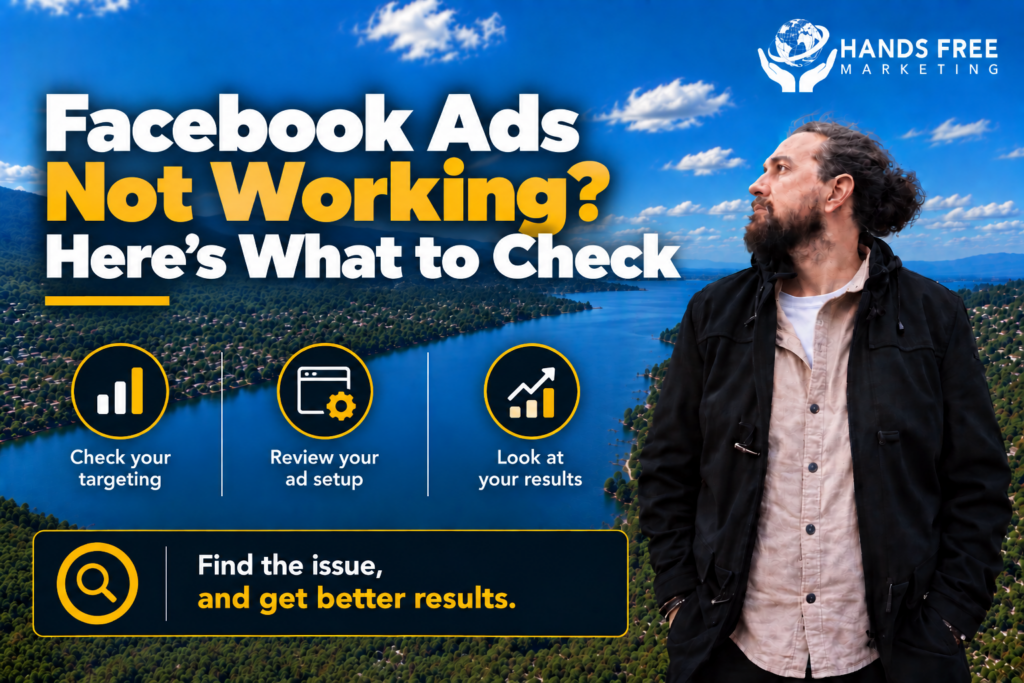
If your Facebook Ads aren’t working, here are some areas to check.
1. Check Your Campaign Objective
First, look at your campaign objective.
Your objective should match what you actually want people to do. For example, a business looking for enquiries may need a lead-focused campaign, while an online store may be more interested in purchases.
If your goal is to generate leads but you’re optimising primarily for traffic or engagement, you may end up getting plenty of activity without enough actual customers.
Therefore, start by asking:
What do I actually want these ads to achieve?
Once you know the answer, make sure your campaign is set up around that goal.
2. Review Your Audience
Even a well-designed ad can struggle if it is shown to the wrong people.
Take a look at your targeting and consider:
- Location
- Age and demographics
- Interests
- Existing customers
- Website visitors
- People who have interacted with your business
For a local business, geographic targeting is particularly important. You don’t want to spend your budget reaching people who cannot realistically become customers.
At the same time, don’t assume that making your audience extremely narrow will automatically improve performance. The right audience depends on your business, offer, and campaign goal.
3. Look at Your Ad Creative
Your creative is one of the first things potential customers see.
If the image, video, headline, or message isn’t interesting enough, people may simply scroll past your ad.
Instead of relying on one creative, test different approaches.
You could try:
- Short videos
- Product demonstrations
- Customer testimonials
- Before-and-after images
- Different headlines
- Different calls to action
Meta’s own testing guidance recommends testing individual variables so you can better understand what affects performance.
Consequently, don’t change everything at once. Test one element, compare the results, and then use what you learn to improve the next version.
4. Check Your Offer
Sometimes the problem isn’t the Facebook Ads campaign itself.
Your offer may simply not give people a strong enough reason to take action.
Ask yourself:
Why should someone click this ad?
What do they get if they take action?
Why should they choose my business?
For example, instead of simply saying “Contact us today,” you might highlight a specific service, promotion, free consultation, quote, or other useful benefit.
A clear offer can make it easier for people to understand what they should do next.
5. Review Your Landing Page
Getting someone to click your Facebook Ad is only the beginning.
If your landing page is slow, confusing, difficult to use, or unrelated to the advertisement, visitors may leave without becoming customers.
Check whether your landing page:
- Matches the message in your ad
- Has a clear headline
- Works properly on mobile
- Loads quickly
- Explains the offer clearly
- Has an obvious call to action
- Makes it easy to contact or buy from you
For example, if your ad promotes a specific service but sends visitors to a generic homepage, you may be creating unnecessary friction.
6. Check Your Tracking
Next, make sure you’re measuring the right things.
Likes and comments can be useful, but they don’t necessarily tell you whether your advertising is generating business.
Depending on your goals, you may want to track:
- Leads
- Purchases
- Phone calls
- Form submissions
- Bookings
- Cost per lead
- Cost per acquisition
- Revenue
Accurate tracking gives you a clearer picture of what your advertising is actually producing.
Without it, you could make decisions based on incomplete information.
7. Don’t Change Everything at Once
When Facebook Ads aren’t working, it can be tempting to change the audience, creative, budget, and campaign settings all at once.
However, that makes it difficult to know what actually made a difference.
Instead, make changes methodically.
For example, you might test a new creative while keeping the audience and offer the same. After that, you can compare the results and decide what to test next.
This approach gives you more useful information over time.
8. Review Your Budget
A larger budget doesn’t automatically fix an underperforming campaign.
Before spending more, check whether the campaign is reaching the right people and whether your ads are generating meaningful actions.
If the campaign has a weak offer, poor creative, or incorrect targeting, increasing the budget may simply result in more wasted spend.
On the other hand, if you have a campaign that is producing consistent results, you can consider increasing the budget gradually.
The goal is to scale what is working rather than simply spending more.
9. Watch for Ad Fatigue
If your Facebook Ads have been running for a long time, performance can change.
People may see the same creative repeatedly and become less interested in it.
As a result, keep an eye on metrics such as frequency, click-through rate, and cost per result.
If performance starts declining, consider testing fresh images, videos, headlines, or offers.
Refreshing your creative can also give you new information about what your audience responds to.
10. Look at the Bigger Picture
Finally, don’t judge your Facebook Ads based on one metric.
A campaign might receive plenty of clicks but very few leads. Another might receive fewer clicks but generate higher-quality enquiries.
Therefore, look at the entire customer journey:
Ad → Click → Landing Page → Enquiry or Purchase → Customer
If something is going wrong, identify where the problem occurs.
For example, a low click-through rate may point toward the ad or offer. If people click but don’t enquire, the landing page or offer may need attention.
Facebook Ads Not Working? Start With the Basics
When Facebook Ads aren’t producing the results you expect, don’t immediately assume the platform doesn’t work.
Instead, check your campaign objective, audience, creative, offer, landing page, tracking, and budget.
In many cases, the problem isn’t one single setting. It may be a combination of several small issues.
The good news is that these areas can be tested and improved over time.
Need Help With Facebook Ads in New Zealand?
If your Facebook Ads aren’t generating the leads, sales, or enquiries you expected, Hands Free Marketing can help you identify what needs attention.
We help businesses across New Zealand with Meta Ads strategy, campaign management, creative testing, targeting, and ongoing optimisation.
If you want clarity instead of guesswork, get in touch.
👉 Book your free 15-minute consult
📞 027 590 9421
📧 jevon@handsfreemarketing.com
🌐 Web Design Hawke’s Bay