
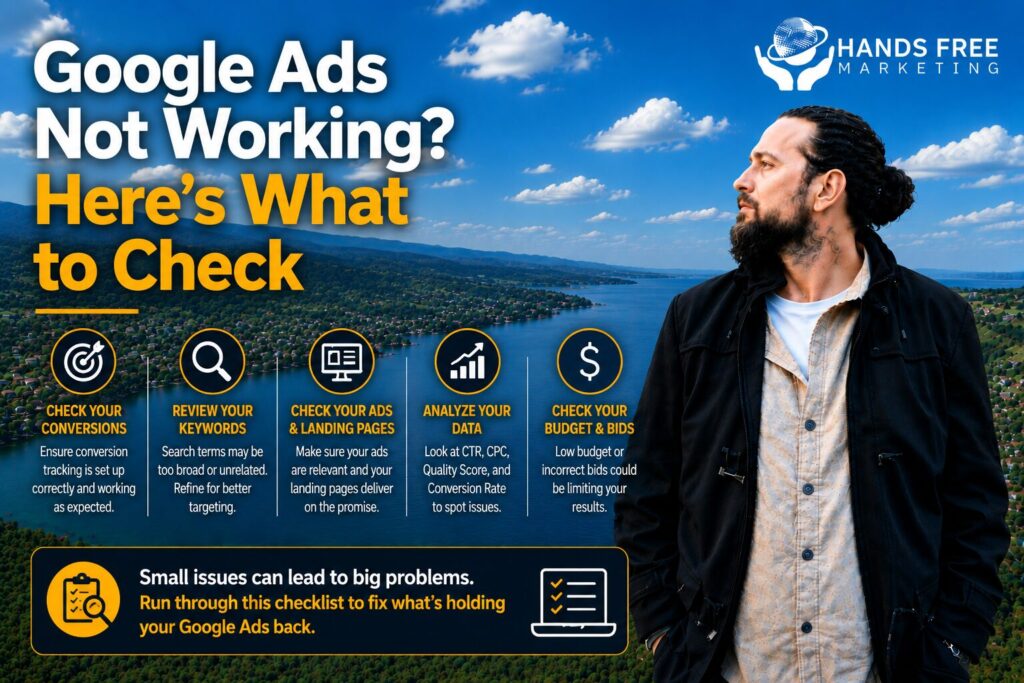
You’ve launched your campaign, set a budget, and waited for the results—but the leads aren’t coming in. If your Google Ads aren’t working, don’t immediately assume that paid advertising doesn’t work for your business.
There are several reasons a campaign can struggle, from poor targeting and weak ad copy to conversion tracking problems and an ineffective landing page.
Before changing everything, work through these areas.
Are Your Ads Actually Serving?
The first thing to check is whether your ads are getting impressions.
If your campaign has very few or no impressions, there may be an issue with your budget, bidding strategy, targeting, ad approval, account settings, or campaign setup. Google also recommends using its campaign diagnostics tools to identify issues affecting ad delivery.
Check:
- Campaign status
- Ad approval
- Billing
- Budget
- Bidding strategy
- Targeting settings
- Start and end dates
Fixing a serving issue should come before worrying about conversion performance.
Is Your Targeting Too Broad?
If your Google Ads are appearing for searches that aren’t relevant to your business, you could be wasting your budget.
Review your search terms and consider whether your keywords are attracting the right potential customers.
For example, a business selling premium services may not want to pay for searches from people looking for free options or unrelated information.
Negative keywords can help prevent irrelevant searches from triggering your ads.
Are You Getting Clicks but No Leads?
If your ads receive clicks but visitors don’t contact you, the problem may not be the ads themselves.
Your landing page could be the issue.
Check whether your page:
- Clearly explains your offer
- Matches the searcher’s intent
- Loads quickly
- Works properly on mobile
- Has an obvious call to action
- Makes it easy to contact your business
Google specifically notes that landing page experience and relevance can affect ad quality and performance.
Check Your Conversion Tracking
One of the most important things to check when Google Ads aren’t producing reported conversions is your tracking.
If your conversion tags aren’t working correctly, you may actually be receiving leads without Google properly recording them.
Check whether important actions such as:
- Contact form submissions
- Phone calls
- Purchases
- Bookings
- Quote requests
are being tracked correctly.
Google recommends using tools such as Google Tag Assistant to verify that conversion tags are firing correctly.
Is Your Budget Enough?
A limited budget can restrict how often your ads appear, particularly in competitive markets.
However, simply increasing your budget isn’t always the answer.
Before spending more, make sure your campaign is targeting the right searches and generating useful results. Google identifies low budgets as one possible reason campaigns receive limited traffic.
Look at Your Bidding Strategy
Your bidding strategy should match what you’re trying to achieve.
If your goal is generating leads, for example, you need to look beyond clicks and impressions and consider conversion-focused metrics.
Google also notes that bid targets can affect how frequently campaigns enter and win auctions.
Avoid changing your bidding strategy constantly. Campaigns using automated bidding may need time to adjust after significant changes.
Review Your Ad Copy
Sometimes the problem is simply that your ads aren’t compelling enough.
Your ad copy should clearly communicate:
- What you offer
- Who you help
- Why customers should choose you
- What makes your business different
- What action the customer should take
Try testing different headlines and descriptions rather than relying on one version.
Don’t Change Everything at Once
One common mistake with Google Ads is making multiple changes whenever performance drops.
If you change your keywords, budget, bidding strategy, targeting, ads, and landing page at the same time, it becomes difficult to determine what actually improved or hurt performance.
Make changes strategically and give campaigns enough time to collect useful data.
Give Your Campaign Enough Time
New campaigns don’t always perform perfectly from day one.
Google explains that automated bidding campaigns can experience fluctuations while the system learns how to optimise toward your selected goals. Frequent changes can also affect performance.
Instead of judging a campaign too quickly, look for meaningful patterns in the data.
What Should You Check First?
If your Google Ads aren’t working, use this quick checklist:
- Check whether your ads are actually serving.
- Review your search terms and targeting.
- Check your conversion tracking.
- Review your landing page.
- Look at your budget and bidding strategy.
- Test your ad copy.
- Give campaigns enough time to gather data.
- Make changes based on evidence rather than assumptions.
Turn Poor Performance Into Better Results
When Google Ads aren’t generating the results you expect, there is usually a reason. Finding that reason is more valuable than simply increasing your budget or rebuilding the campaign from scratch.
At Hands Free Marketing, we help businesses across New Zealand manage and optimise Google Ads campaigns with a focus on qualified leads, accurate tracking, and measurable business results.
If you want clarity instead of guesswork, get in touch.
👉 Book your free 15-minute consult
📞 027 590 9421
📧 jevon@handsfreemarketing.com
🌐 Web Design Hawke’s Bay